ControlGlasses User Guide
Introduction
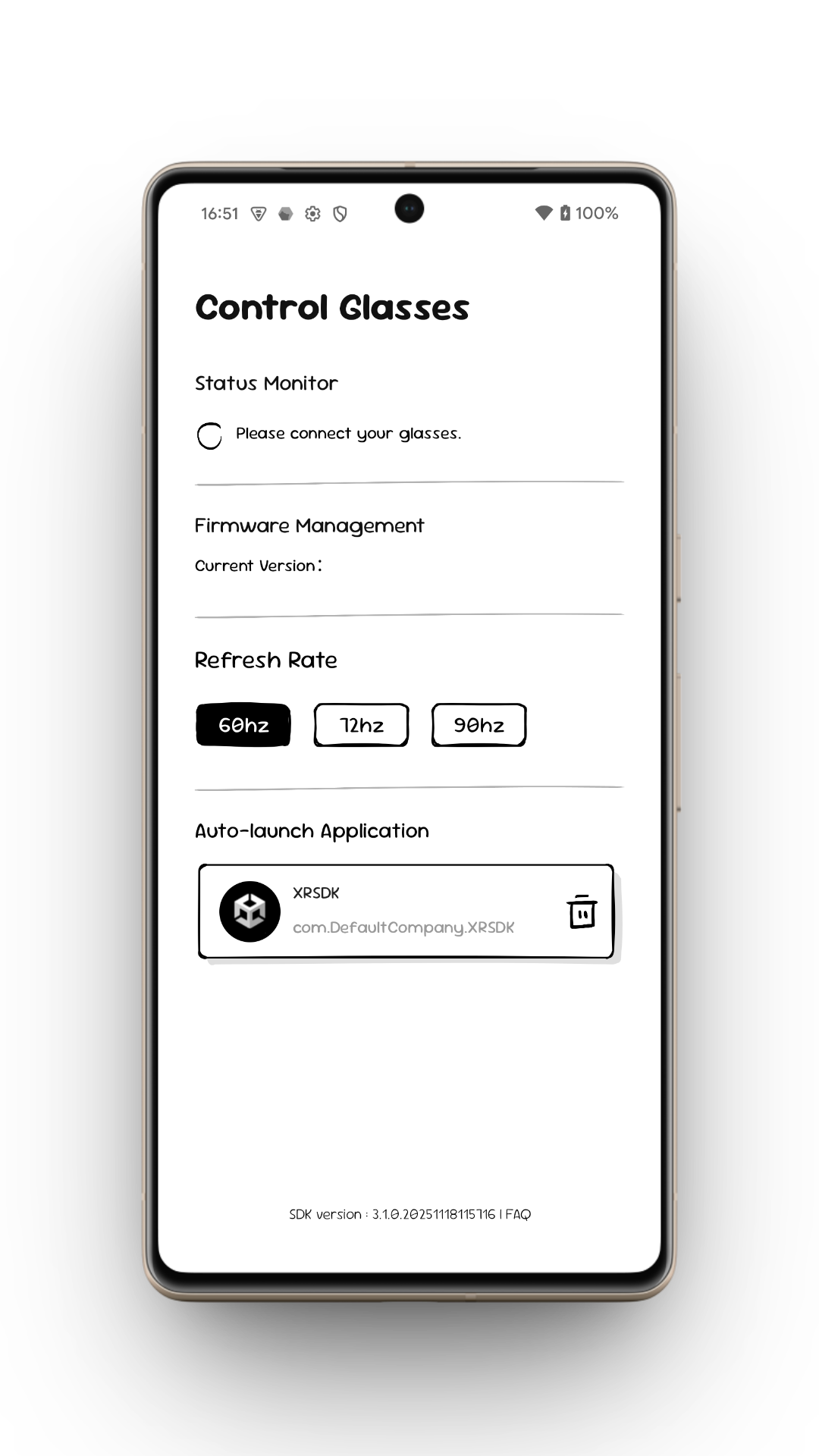
ControlGlasses is the official tool for switching XREAL glasses into 3D mode.
Within the SDK architecture, XREAL follows a client/server model:
- Server: ControlGlasses
- Client: AR applications developed with the XREAL SDK
During runtime, an AR application communicates with ControlGlasses to:
- Access algorithm libraries
- Manage glasses status
- Enable 3D mode and other system services
Relationship with BeamPro
When using BeamPro, the MyGlasses application already operates as the server, so ControlGlasses does not need to be installed.
Although the two apps share the same purpose, they focus on different scenarios:
- MyGlasses: consumer-oriented, polished UI, broader feature set
- ControlGlasses: lightweight and streamlined for developer testing and debugging
Distribution Scenarios
When distributing an AR application:
- End user on BeamPro: No additional installation required; the built-in MyGlasses app acts as the server.
- End user on a compatible Android phone: ControlGlasses must be installed or the AR application will not run.
How ControlGlasses Works
ControlGlasses stores most algorithm libraries centrally instead of bundling them in every APK. When an AR application starts, it dynamically loads the components it needs from ControlGlasses. This keeps the AR app lightweight while letting the server handle heavy algorithm assets and service orchestration.
Benefits of Dynamic Loading
- Keeps AR application APKs significantly smaller
- Lets developers update algorithm libraries simply by updating ControlGlasses
- Avoids republishing or updating the AR application itself
Features of ControlGlasses
1. Status Monitor
Displays real-time system information such as:
- Expected next action for the AR application
- Current device or system state
- Error messages and troubleshooting hints
This is particularly useful for debugging and development.
2. Firmware Management
- Detects and displays the firmware version of XREAL glasses
- Ensures the device firmware matches the requirements of AR applications
3. Refresh Rate Management
Allows users to adjust the refresh rate of the glasses. The achievable refresh rate depends on three factors:
- Phone display refresh rate (e.g., a 60 Hz phone limits the glasses to 60 Hz)
- Glasses refresh-rate setting
- Application-level refresh-rate configuration
All three must be set to a higher value for the glasses to run at that higher refresh rate.
4. Auto-launch Application
Built for faster developer iteration:
- Select an AR application in ControlGlasses.
- Each time the glasses connect to the phone:
- They automatically switch to 3D mode.
- The selected AR application launches automatically.
This greatly streamlines the testing workflow.
Similar debugging method in BeamPro: please refer to How to enable developer mode on BeamPro